Praktika AI Review: I still remember when I first opened Praktika more than 3 years ago. My motive was generally hunting for a reliable way to practice speaking without having another person to practice with at that time.
I’ve seen the app change quite a bit after using Praktika for over 3 years. The app has been improved in terms of its animated tutor, the lesson system, and pronunciation feedback. It also offers more languages & ways to practice now.
I’ve also experienced several frustrations in these years.
It doesn’t mean that it’s a “great AI tutor” or a “bad language app.” Praktika works extremely well at keeping you asking questions. Some of its limits become easier to notice after you proceed to a more advanced level.
Here’s my complete review after using it for years.
What Is Praktika AI?
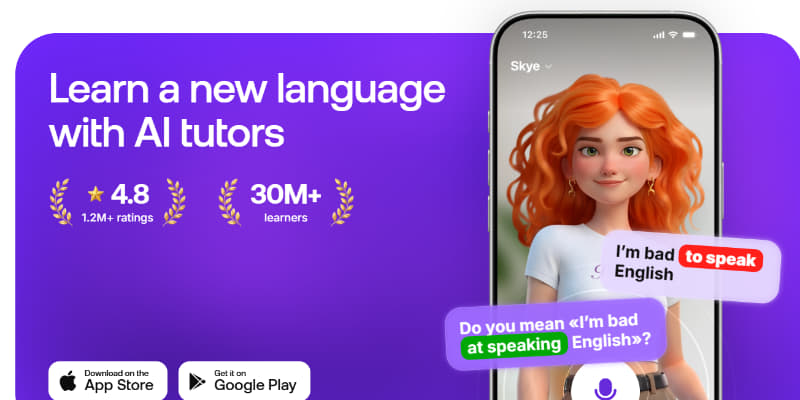
It is an AI-powered language-learning app developed around an animated virtual tutor. Praktika AI is available on iOS, Android, and the web. It gives a situation, asks a question, and waits for your answer instead of opening an empty chat and thinking about the topic to talk about.
English, Spanish, Japanese, French, German, Korean, Italian, European Portuguese, Brazilian Portuguese, Russian, Simplified Chinese, and Arabic are 12 study-language options available on this platform.
Praktika creates a study plan after asking about your level, goals, interests, preferred study time, and the situations you want to practise. Although that setup is indeed helpful, it is surprisingly long. I went through 30 screens before reaching the real experience.
My Experience With Praktika in Praktika AI Review
Simplicity is the biggest reason why I kept using it. Praktika AI helped me get used to speaking through interesting exercises.
It is surprisingly easy to spend 20 minutes instead of saying every word aloud when practicing alone. The avatar asks a question first, waits for your response, and then comes up with another question.
It is an incredibly comfortable option for those nervous about making mistakes.
There’s no waiting for you here. You may comfortably pause & continue the sentences after you feel comfortable with them. There is no pressure to answer without making mistakes. The guided lessons were also helpful for me because they helped me build confidence.
You can easily practice things like travel, work, interviews, presentations, daily conversations, etc.
How Praktika Lessons Work
The basic process is very simple.
You first select a topic, the tutor asks a question, and you must answer it aloud. The AI later responds based on your response and moves the conversation forward. These 3 main ways to practice are available here:
- Guided lessons: It offers a situation, skill, and questions to follow
- Free talk: Just select the topic & control the situation
- Video call mode: Get a phone-call-like experience here because you don’t want to press the mic button every time
I found the guided lessons mode helpful because it helped me start talking without thinking about what I should talk about.
Free Talk offers more freedom to discuss. It still, however, doesn’t feel as open-ended as talking to a general AI assistant.
The Avatars: Fun or Distracting?
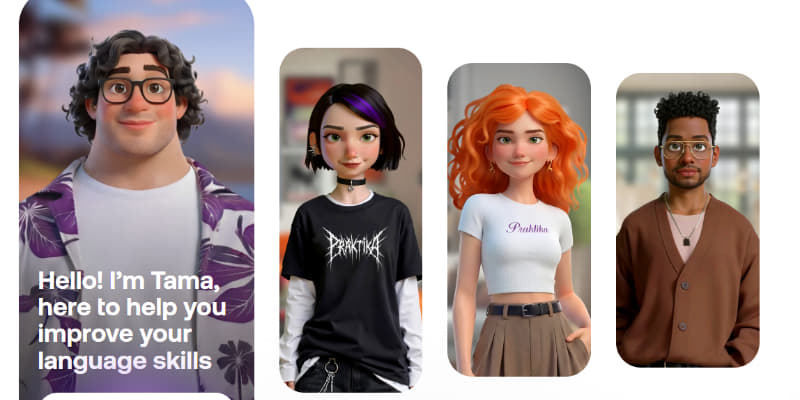
The animated tutor is probably the first thing when someone opens this app for the first time.
I initially appreciated their ability to move their mouth, blink, and even react while speaking. It indeed made Praktika AI different from a basic voice chatbot. I personally liked this idea initially because it made the interaction more personal.
I later became frustrated with these animations after extended use. Expressions sometimes feel less natural. The mouth doesn’t always perfectly sync with the speech.
Thankfully, the app allows us to minimize it.
I would now prefer an audio-based option during longer practice sessions.
Pronunciation Feedback Is Useful, But Easy to Miss
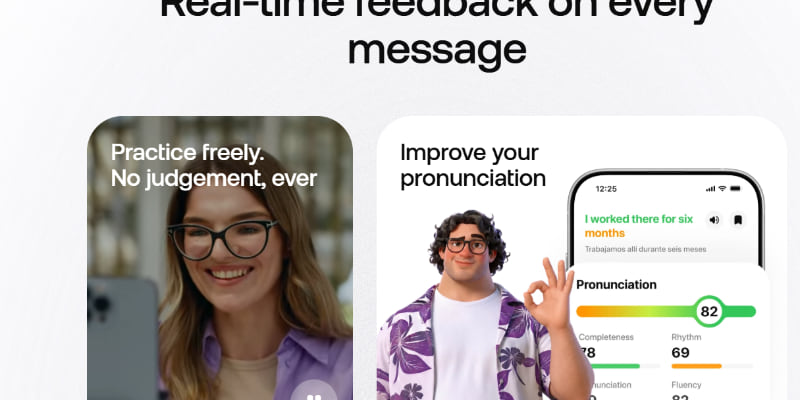
Pronunciation feedback is one of the exciting additions in the recent time.
You can now open the feedback related to your answer after speaking. It offers an overall score and individual word-level information. Feedback connected to pronunciation, fluency, completeness, and rhythm is also available here.
You can also listen to the tutor’s version and repeat your sentence. It is helpful because you can quickly repeat a difficult word while it is fresh in your mind.
The problem here is that Praktika AI doesn’t always force you to see the feedback. This is why I often ignore it. Its button is situated behind the response. You can easily forget to tap it if you are talking.
The strong end-of-lesson error report to collect everything you got wrong is also missing here. It means that the quality of the results also depends on the use of your feedback.
I therefore treat the score as a practice guide instead of a serious assessment of your accent or language level.
The Learning Path Can Feel Too Rigid
I noticed this problem after using Praktika for a longer time.
A structured path is indeed helpful in the beginning. You select a goal, related skills, and receive lessons based on those choices.
Repetition becomes the biggest issue after some time. There is no option to combine all skills from all goals. Interests and categories also come from the preset choices.
You may get stuck in the app when you suddenly decide to discuss something unique. Its AI may also bring you back to the lesson goal if you move the conversation away from the main topic.
I actually see this feature as a benefit for beginners. It can, however, feel like the app is holding the conversation at the same point when you’re an advanced learner.
What About Vocabulary and Grammar?
Anyone can seamlessly tap words during a lesson, see their meaning, and save them to their personal dictionary. I personally liked this option because the vocabulary comes from the ongoing conversation. The dictionary works like a saved list instead of a complete revision system.
A strong spaced-repetition system is also a major missing feature here. This is why it doesn’t bring the old words back. You must go back to the saved vocabulary yourself.
Although grammar support is also available, it isn’t the app’s main focus. Some grammar activities come as part of the learning experience. You cannot freely browse every grammar topic and build an entire course around your weakest area.
I therefore feel that it is not a complete alternative to your grammar course.
Read more:
Speaky App Review: Why I Chose Speaky App? Is it Safe?
Rosetta Stone vs Babbel vs Duolingo: Which Language-Learning App Is Best?
Quizlet vs Anki: Which Flashcard App Is Better in 2026?
FAQs: Praktika AI Review
Is Praktika AI good for beginners?
Indeed, it is incredibly useful for beginners to start or maintain a conversation. Its guided lessons offer situations & questions to start speaking without thinking about what to talk.
Is Praktika AI free?
Yes, it offers a limited free version with fewer tutors and features. Extra features, tutors and, speaking practice can be accessed after purchasing a paid plan.
Does Praktika teach grammar?
Yes, some grammar-related activities are available here. But it doesn’t keep its core focus on it.
Final Verdict: Is Praktika AI Worth in 2026
My answer to this query depends on your learning goal & particular needs.
The app indeed solves beginners’ problems with topic search for studying. It asks questions and gives situations to practice to keep the conversation going.
The problem appears when you spend a few months for using it. The restrictive learning path, limited vocabulary review, etc will not appeal to everyone especially advanced learners.
Praktika AI is perfect in my Praktika AI Review as a speaking practice tool instead of a complete language learning tool.