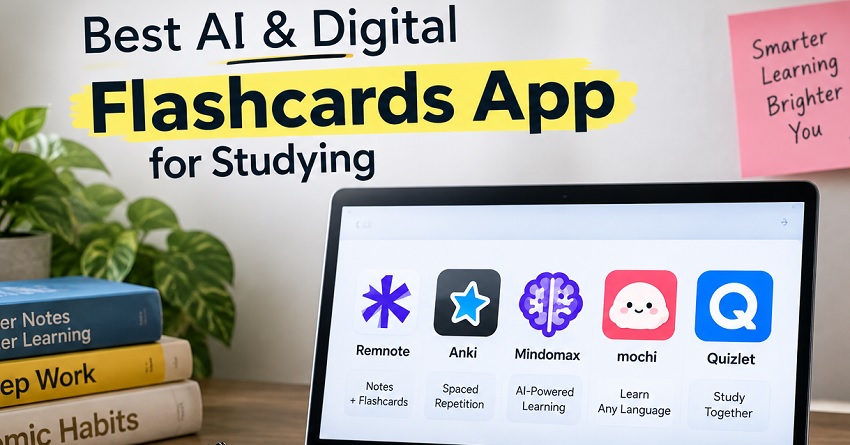
Looking for the best AI Flashcards App or the best digital Flashcards app? Then you are in the right place. It may take hours to study from long PDFs, lecture notes, and textbooks before starting revision. AI tools convert study material into questions, cards, summaries, and review sessions to reduce that preparation time.
Digital Flashcards App and AI Flashcards App
The right choice depends on your specific needs and requirements. Although some apps represent spaced repetition as their strengths, others use AI to create cards from PDFs, images, or notes. We’ll compare top flashcard apps based on their features, pricing, ease of use, and the type of student they suit.
Quick Comparison Table
| Apps | Main powers | AI features | Where can be used | Costs |
| RemNote | Notes & spaced repetition | AI card generation & image cards | iOS, Windows, Mac, Linux, Android, and Web | Free and premium |
| Anki | Customizable repetition | Third-party tools | Android, Windows, Mac, Linux, iOS, and Web | Free and paid iOS version |
| Mindomax | AI Cards | PDF, Lectures, text, and other material generation | Android, Windows, Mac, Linux, iOS, and Web | Free version |
| Mochi Card | Markdown-based card | Fewer compared to other tools | Mac, Linux, Windows, iOS, and Android | Freemium |
| Quizlet | Shared study sets | AI creation with practice | iOS, Android, and Web | Paid and free options are there |
Top AI & Digital Flashcards Apps
1. RemNote
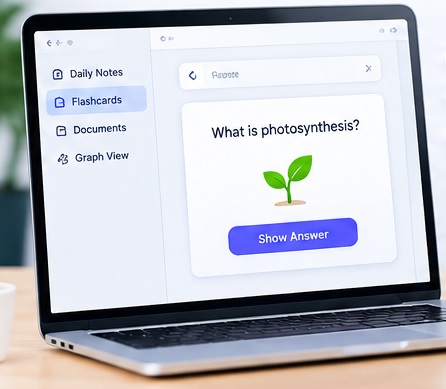
Note-taking and spaced repetition are integrated here. Students can use it to convert notes into cards and use AI to generate study material. PDF annotation, image-based card creation, image OCR, and Anki imports are also available here. It is perfect for medicine, biology, languages, and other terminology subjects.
Pros & Cons
| Strengths | Weaknesses |
| Cards and notes are combined here | Hard learning curve |
| AI cards | Some setup needed for advanced features |
| Image-to-card | |
| Spaced repetition |
Pricing
Basic features with unlimited card creation are available in the free version. Most AI features are only available at $20 per month in the AI plan.
Who Should Use It
Students looking for a place where they can keep notes and cards together should use it.
2. Anki– Best Digital Flashcards App
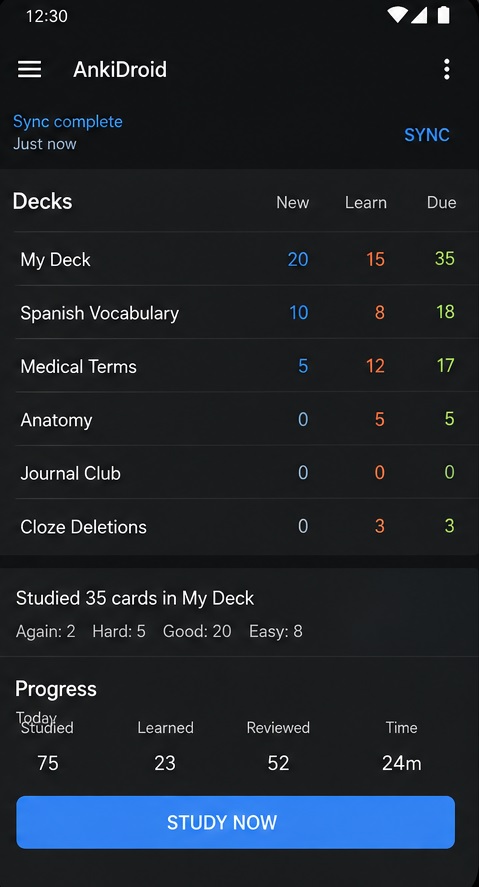
Spaced repetition is its main feature. It gives its users complete control over card creation and review schedules. Anki works across Windows, Mac, Linux, Android, iOS, and the web through AnkiWeb. Third-party tools can be used to create cards before being imported here.
Anki Pros & Cons
| Strengths | Weaknesses |
| Powerful spaced repetition | Older interface |
| Free desktop & Android version | Card creation may take time |
| Big community deck library | |
| Many ads are there. | |
| Synchronization on multi-devices |
Anki Pricing
$24.99 one-time payment is required to use it on iOS devices.
Who Should Use It?
Students who want complete control over their card design can give it a try.
Check them;
Is Duolingo Good for Learning Spanish?
Rosetta Stone vs Babbel vs Duolingo: Which Language-Learning App Is Best?
3. Mindomax
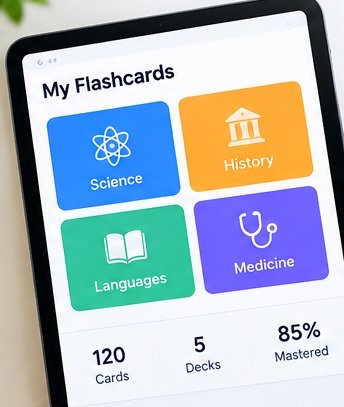
It mainly focuses on AI-generated flashcards. Its system automatically generates your cards based on your PDFs, recorded lectures, photographed handwritten notes, or even pasted text. A big library of premade cards, pronunciation support, and tools for mathematical formulas are also here.
Pros & Cons
| Strengths | Weaknesses |
| AI card creation | No desktop version |
| Image and PDF support | Limited free requests |
| Lecture inputs | |
| Helpful materials | |
| Available on most devices |
Pricing
This platform is currently offering free services until 2028.
Who Should Use It
Anyone who doesn’t want to waste their time creating cards manually can use it.
4. Mochi Cards
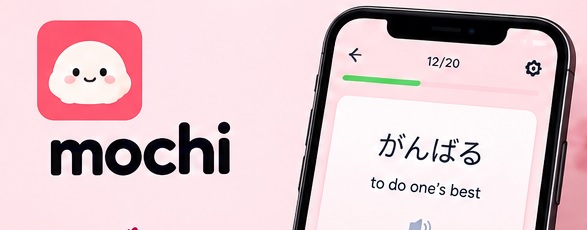
Markdown is used on Mochi Cards for card creation in a minimal interface. Image occlusion, bidirectional linking, Anki deck imports, dictionaries, text-to-speech, and translation features are available here.
Pros & Cons
| Strengths | Weaknesses |
| Clean interface | Paid version needed for cross-device sync |
| Markdown support | Less AI focused |
| Offline use | |
| Anki import | |
| Different desktop platform |
Pricing
Premium features are available at $5 per month.
Who Should Use It
Students looking for simple Markdown-based study material must use it.
5. Quizlet- Best AI Flashcards App
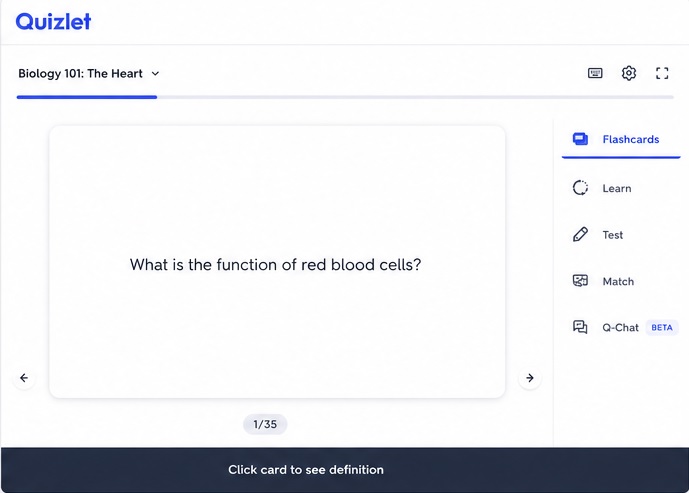
Digital cards and a large collection of shared decks can be easily accessed here. Its AI features help students create and practice sets faster. The shared decks are also useful for classmates who study the same subjects.
Pros & Cons
| Strengths | Weaknesses |
| Large collection of shared sets | No desktop app |
| AI set creation | Less useful for students studying through the unique PDF lectures |
| Mobile apps | |
| Browser access | |
| Helpful for group study |
Quizlet Pricing
Although Quizlet Plus is available at $7.99 per month or $35.99 per year with limited features, its Unlimited plan offers complete access at $9.99 per month or $44.99 per year.
Who should Use It
It is perfect for ready-made sets or regularly sharing study material with classmates.
How to Choose the Right Digital Flashcards App
Your subjects, study habits, and budget are important factors in selecting the right flashcard app. It’s important to verify whether your existing notes, PDFs, and other learning materials are available in your app before signing up. AI-generated flashcards help save time during preparation when studying from a lengthy syllabus.
Students should look for spaced repetition and progress tracking for regular revision. It’s best to check whether the app syncs cards and review progress across devices in case you switch between different devices. A simple interface is also needed because complicated setups may make daily revision harder to maintain.
Tips for Getting Better Results with AI Flashcards
Although AI cards speed up flashcard creation, your cards’ quality may still matter. Follow these tips if you want to make your flashcards more creative:
- Test one fact, definition, etc at a time in your flashcards.
- You must compare generated cards with textbooks, books, etc.
- You should answer before revealing cards to encourage active recall.
- Keep reviewing cards through short and consistent sessions.
- You must delete duplicates and rewrite confusing questions
It would be best to avoid creating hundreds of cards in one sitting without reviewing their quality. A small collection of cards may be useful compared to a large collection of flashcards.
Common Mistakes to Ignore When Using Flashcards
Treating flashcards as a complete replacement of understanding is among the biggest mistakes. Although memorization may indeed help with factual questions, practice exercises are indeed needed for subjects with calculations, analysis, or problem-solving also require practice exercises.
Reviewing familiar cards and ignoring difficult cards is also a major mistake. You should therefore use your app’s indicator to identify weak areas and spend more time testing those concepts.
Students should also avoid overdependence on AI-generated content. AI may miss important details and add incorrect information. They should therefore verify it before exams.
FAQs to Ai & Digital Flashcards App
Which app is best for AI-generated cards?
Mindomax and RemNote generally focus on AI-generated cards. But other apps also offer useful AI features.
Which AI & Digital Flashcards app is free?
Although most apps offer their free trial or plan with limitations, Mindomax is offering all its premium features for free. Anki also offers a free version on desktop, web, and Android devices.
Are digital cards useful for studying?
Indeed, they are ideal for recalling an answer instead of rereading it. Spaced repetition here can also spread reviews over time.
Final Verdict
There’s no single best digital flashcard app today. RemNote is ideal for storing notes, AI generation, and spaced repetition. Anyone can use Anki for customizable card creation. Mindomax has been created around AI-generated flashcards from different study materials.
Although Quizlet can be used for shared sets and classroom study, Mochi Card is perfect for those looking for Markdown and local-first app for studying.
No matter which app you use. It would be best to edit AI-generated material before using it. You must build a review routine instead of wasting your time on creating hundreds of cards.